
March 26, 2026
Insurance Referrals are Now a Separate Category in Carethink
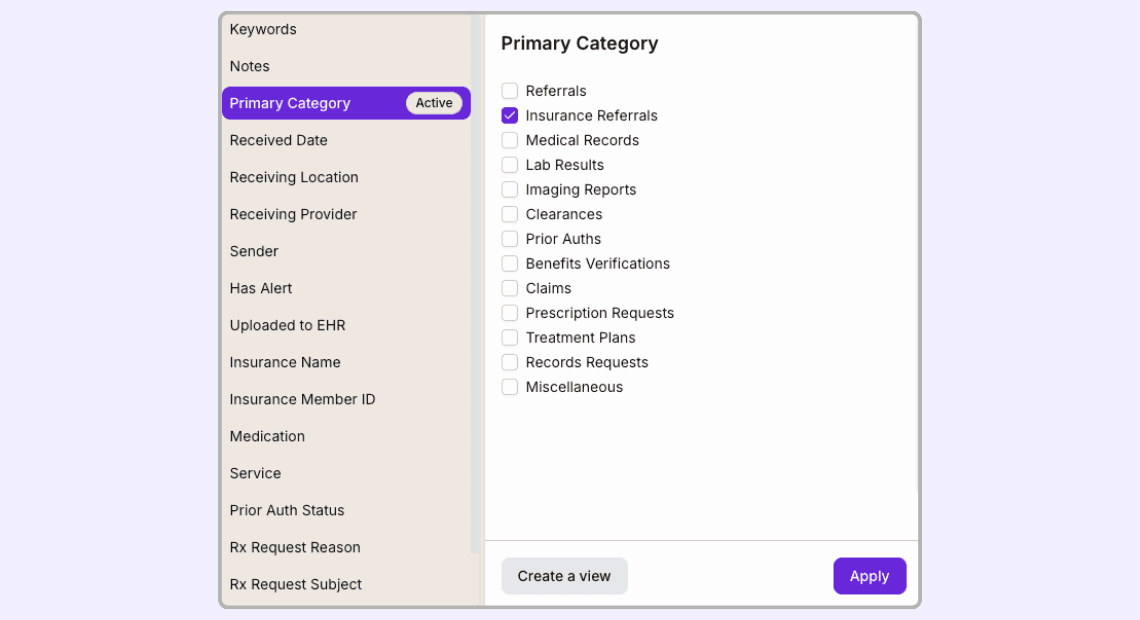
We added a dedicated Insurance Referrals category in Carethink.
These documents can now be classified separately, processed with their own extracted fields, filtered directly in the inbox, and uploaded into the EHR.
What changed
Carethink now identifies insurance referrals as a distinct document category.
Once classified, the system can extract key details, including:
insurance name
member ID
provider
authorization number
approved visits or units
effective start date
effective end date
Filtering and workflow
Insurance referrals can also be filtered directly in the inbox.
Teams can isolate these documents by category, build a dedicated inbox view for them, and route that work to the specific team responsible for insurance handling, instead of mixing them with other document types in a general queue.
This makes it easier to keep eligibility work separate, focused, and visible.
EHR upload
After review, insurance referrals can also be uploaded into the EHR as part of the workflow.
This helps teams move from incoming fax to structured review to EHR completion in one flow..
Why this matters
Insurance referrals often contain time-sensitive information that affects whether care can move forward.
When they are handled in a dedicated workflow, teams can review them more consistently, route them correctly, and act on them in time to support scheduling and care delivery.
What this improves
With a dedicated category, extracted fields, direct filters, dedicated inbox views, team-specific routing, and EHR upload support, teams can now process insurance referrals with more clarity and less manual work.
Teams can now manage insurance referrals through structured data, dedicated queues, clearer ownership, and a more complete workflow through to the EHR.
About the Author:
Nicolas Barraud
Cofounder & CTO of Carethink
Nicolas Barraud is a software engineer and product builder with deep experience developing enterprise software. He previously led engineering work at Fortune 500 companies. Nicolas earned his master’s degree in computer science from Epitech Paris.